Steps 01 to 03 are the free side: they run on the phone, offline, without an account. Steps 04 and 05 are what the plan adds.
01
Get the readings on the screen
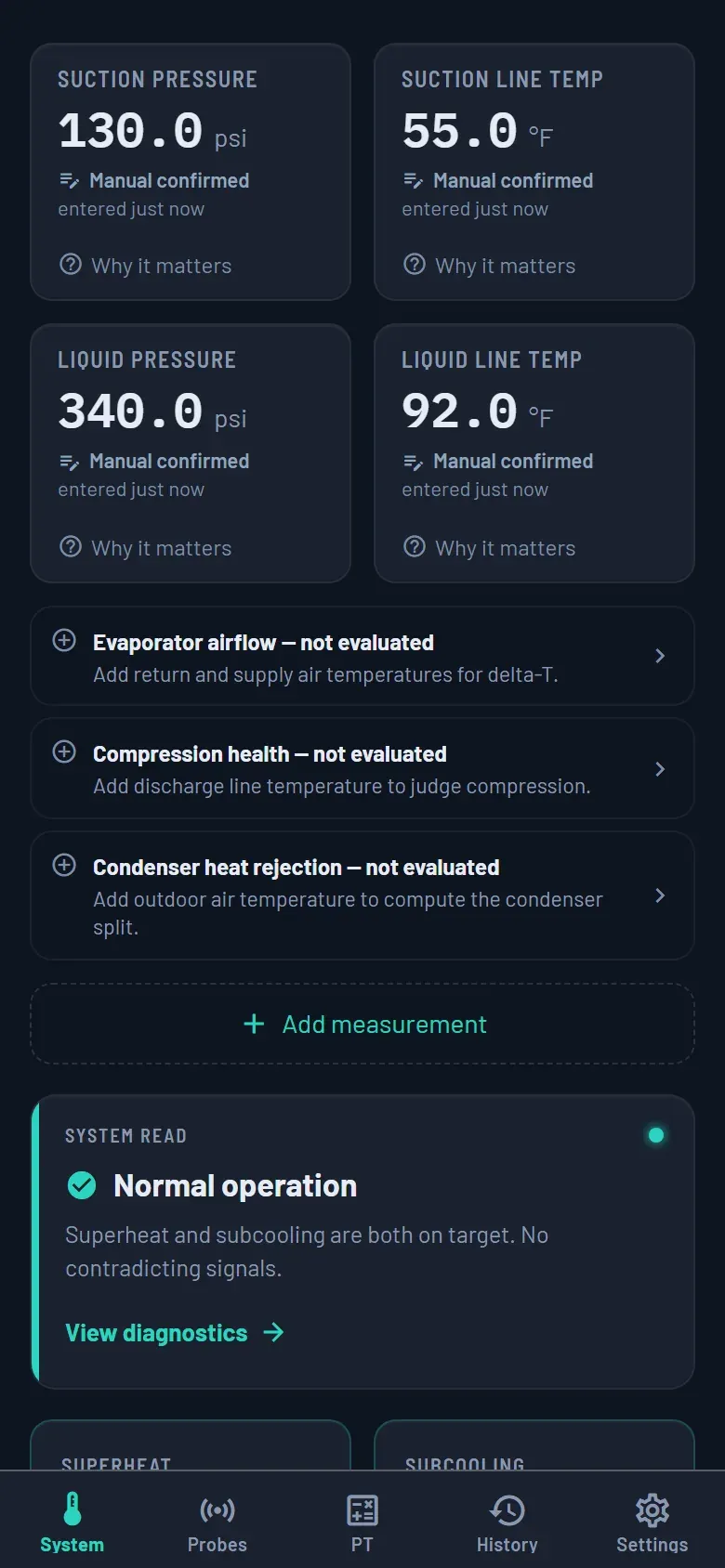
Type them in, or pair a probe. Every reading says where it came from — “Manual confirmed” when you keyed it, the instrument when it streamed in — and each tile carries a “Why it matters” line for whoever is holding the phone this week.
02
Superheat and subcooling, graded against this machine
Targets come from the system you told it about — refrigerant, metering device, equipment kind — and the verdict is a sentence, not a colour: “Normal operation: superheat and subcooling are both on target with no contradicting signals.” Working from less than a nameplate, it shows you exactly what it used: “Targets from general field bands (no nameplate entered).”
Both steps are the same screen — that is why there is one picture beside them.
The System screen: four confirmed readings, then the read.
03
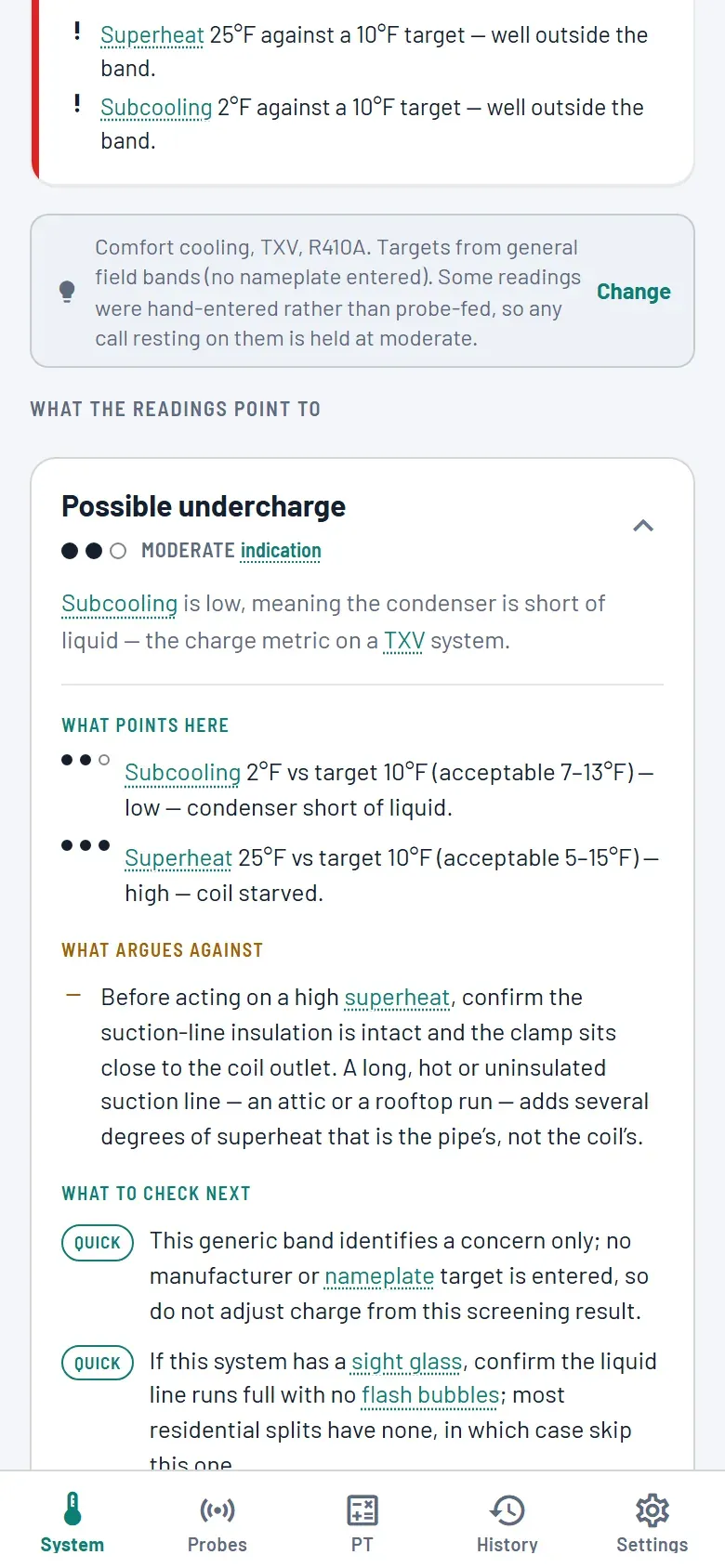
See what it could be, most likely first
Findings are ranked, and each one opens on what points here, what argues against, and what to check next — every check tagged with how much work it is, so you know before you climb the ladder. Faults the readings ruled out get said out loud, and anything still open goes in a tray it labels for you: “These need one more measurement each — they are not a clean bill of health.”
Ranked findings, each opening on its own evidence.
04
Save it to the unit, not to a notebook
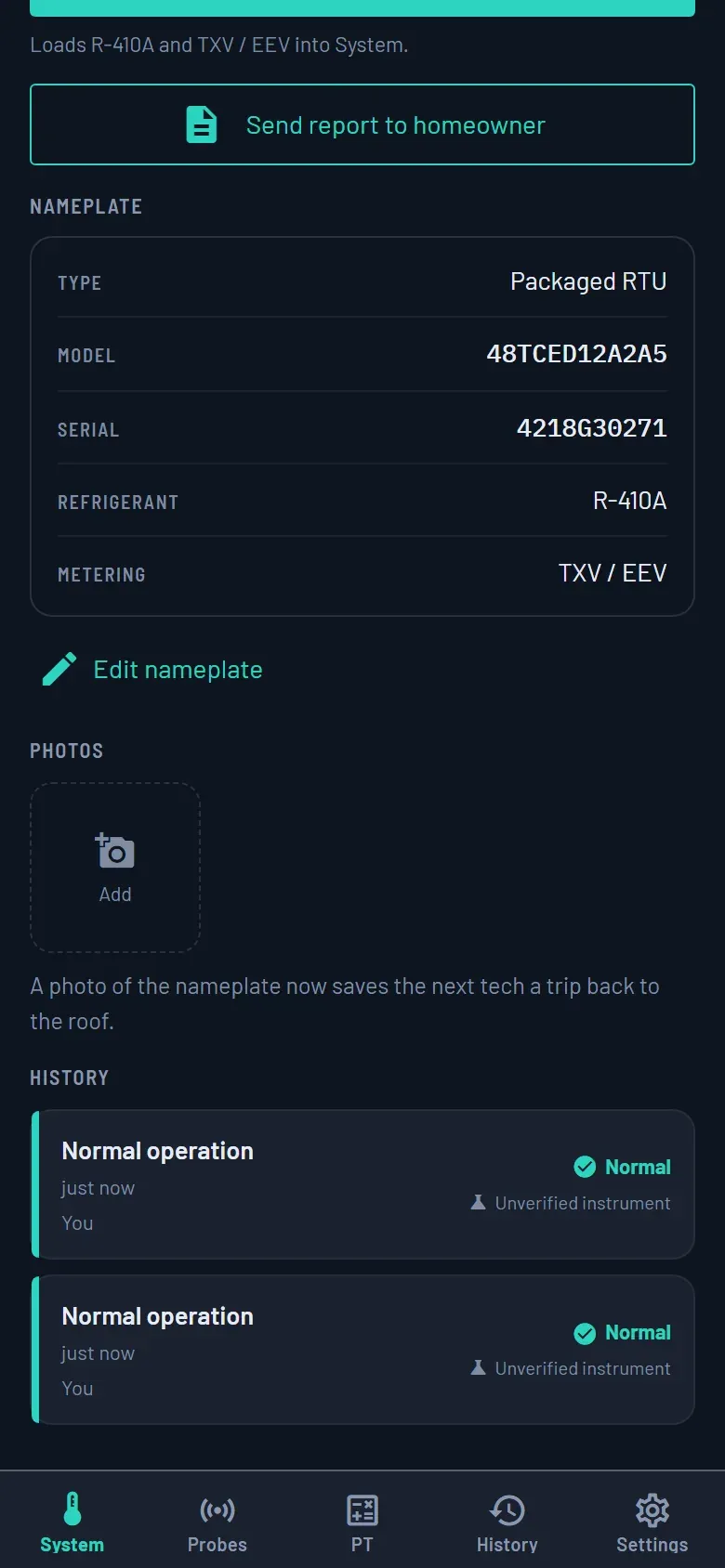
On the plan, a read attaches to the actual piece of equipment — nameplate, photos, and a history that names who took each reading and which instrument it came from. A number keyed by hand and a number streamed off a probe stay marked as the different things they are. Take the read with no signal and it queues on the phone, survives a reboot, and goes up when you are back in range.
The unit’s record: nameplate, photos, and the reads saved against it.
05
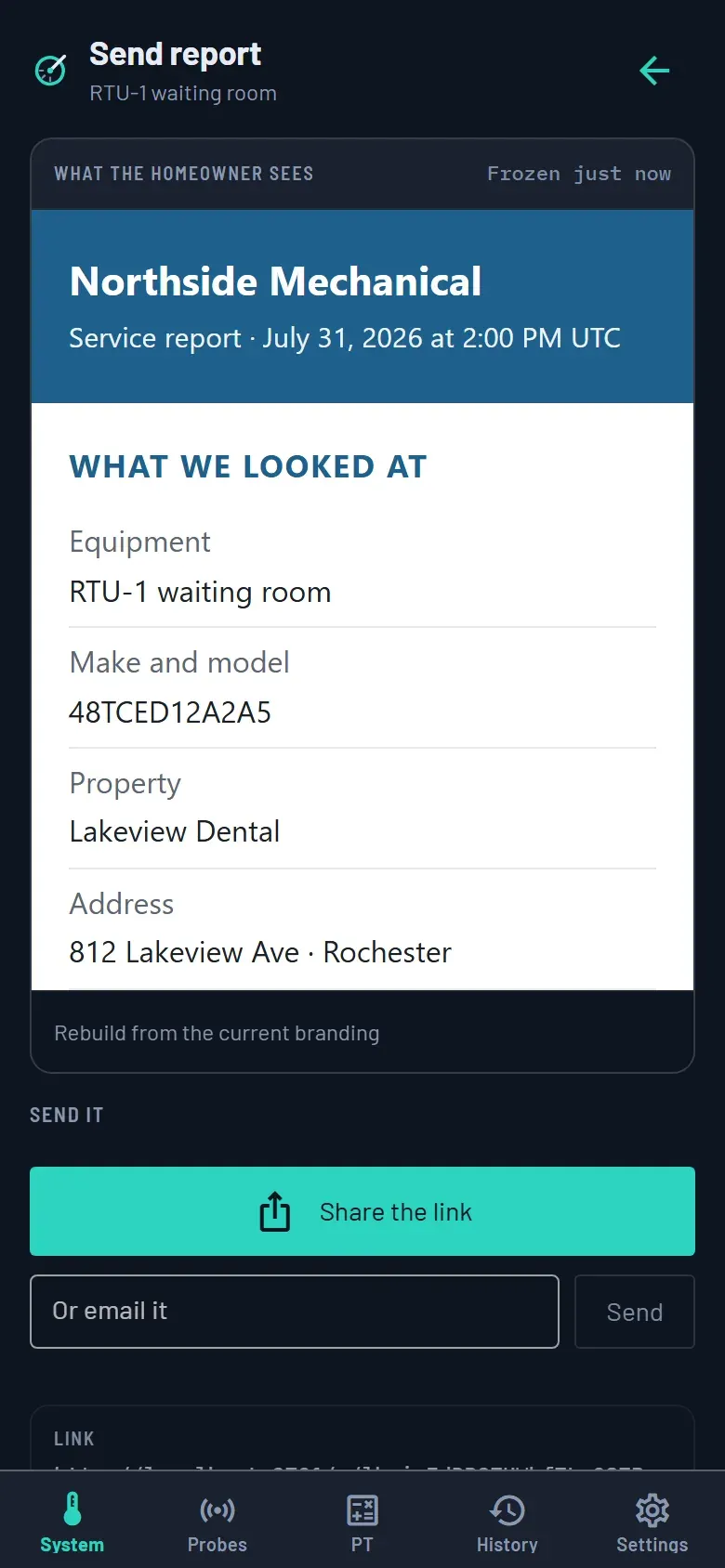
Send the customer their copy
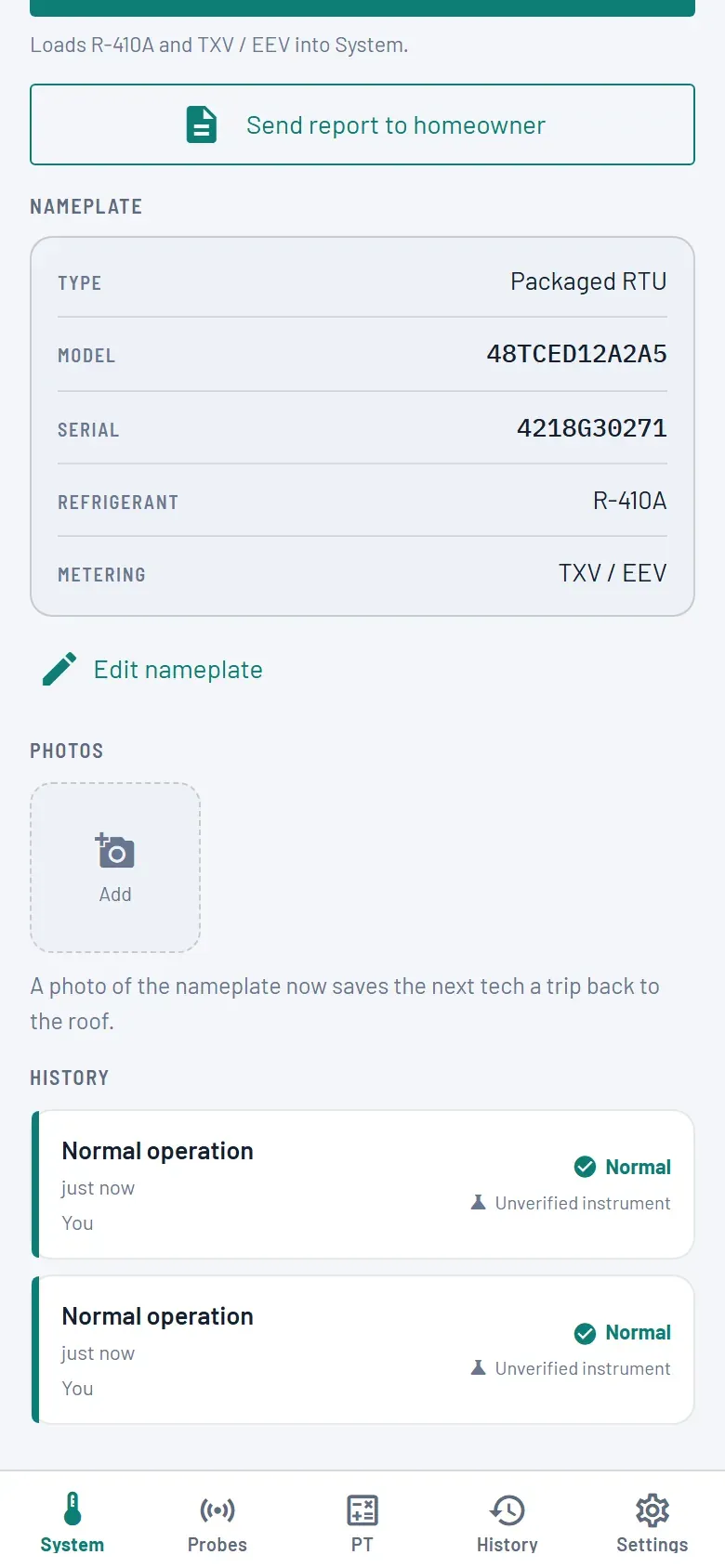
Share the link, email it, or download the PDF. The document is written once and kept as written, so correcting a nameplate or taking a newer reading afterwards leaves what the customer already read alone. The link runs ninety days and you can pull it back at any time; the emailed PDF is hers to keep for good.
The homeowner’s copy, settled at the moment you send it.
The other half
Where the company’s records live
The phone is where the work happens. The web app is where it accumulates: sites, equipment with their nameplates
and photos, the reading history on every unit, maintenance schedules and checklists, commissioning jobs, and
every customer report anyone has sent.
Any technician on the account signs in to it. Looking up what the last person found on this
rooftop unit is not an office privilege — sites, equipment, readings, the people list, the report branding and
the sent reports are all open to the crew. It runs in a phone browser as well as a laptop one.
One screen is held back for owners and admins, and it is the one you would expect: Plan and
billing. Changing who is on the account and editing the branding are owner actions too, though the
pages themselves stay readable by everybody — a technician who cannot see who else is on the account is being
kept in the dark for no reason.
Plan and billing · Changing roles and invitations · Editing the branding
On your own
The same screens on a personal account.
The customer’s copy
The document is settled the moment you send it
A report is written once and stored as written. Correct a nameplate tomorrow, re-read the unit next week, change
your logo next year — none of it reaches back into the page the customer already opened. That is the point of
the whole feature: what you sent is what they have.
Three kinds, one machinery
Diagnostic One saved reading
What the system was doing, what the numbers were graded against, and the reasoning in the technician’s own words, printed as they wrote it.
Maintenance visit One completed visit
The checklist as it was worked, on the schedule the unit is on, with what was found.
Commissioning One verified lineup
A start-up record for a whole site, rolled up into one of four verdicts and filed with them.
Under your name
Company name, logo, a hex colour and a contact block, set once in the web app and applied to every report
afterwards. Logos are capped at 512 pixels on the longest edge and 200 KB, because a report is inlined and
emailed and nobody wants a four-megabyte attachment.
The same document downloads as a PDF and can go out attached to the email. The email tells her so in as many
words: “A PDF copy is attached to this email, which is yours to keep after the link stops working.”
How the link behaves
Address A long random one. Nobody guesses it, and one link tells you nothing about another.
Expiry Ninety days, then the link shows a notice. The emailed PDF keeps working.
Pulling it back Any time, and it keeps working if your plan lapses.
Search engines Asked to stay away, and asked not to keep a copy.
Sign-in None. Your customer opens a page, not an account.
Commissioning ends in one of four words
A start-up job is a set of cases, and the roll-up is decided by precedence rather than by averaging: one
failure fails the job, and anything unread keeps it incomplete.
PASSEvery case verified with nothing outstanding.
PASS WITH EXCEPTIONSVerified, with deviations recorded rather than smoothed over.
FAILAt least one case failed. One failure is enough to decide the whole job.
INCOMPLETESomething was not read. An unfinished job does not get to look like a pass.
Every report says how good its evidence was
The footer states which of three classes the readings fall into, in plain language for the customer. The class
is reported and never upgraded — a hand-entered number stays a hand-entered number, however well the rest of
the visit went.
Verified evidenceTaken with instruments the technician had verified.
Unverified instrumentAt least one reading was hand-entered, or came from an instrument the app has not validated.
ExperimentalSome readings came from experimental equipment, and are kept on file as unverified.
The page reads as a measurement, which is what lets a homeowner carry it to somebody else for a second opinion and
have it hold up — no price, no savings figure and no forecast of how the equipment will last ever reaches it.
Every report says as much in its own footer: “a point-in-time record of what the system was doing at that moment,
not a warranty, a guarantee, or a prediction”. Your own notes print as you wrote them, so what you say in them is
yours to stand behind.
Also on the phone
The pressure–temperature chart, as a slide rule
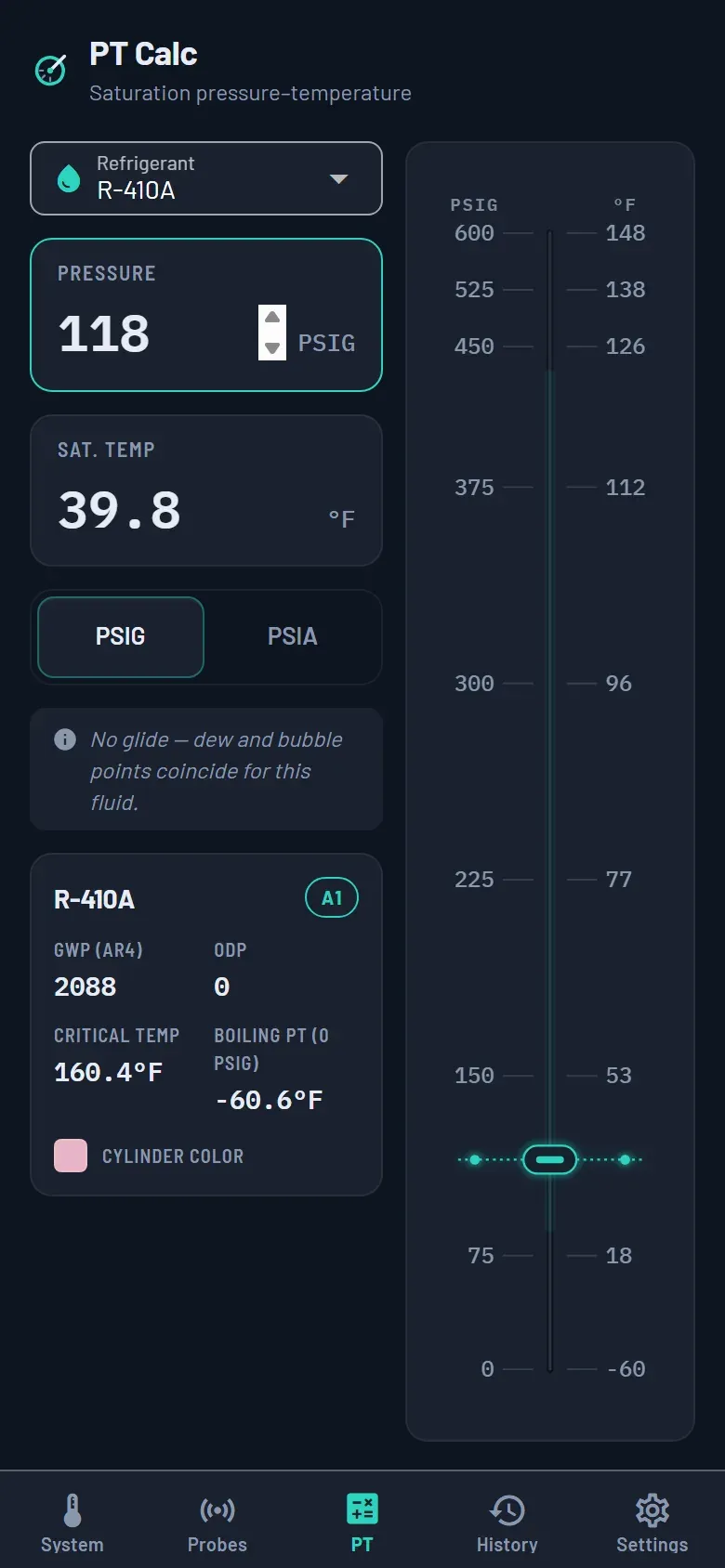
Saturation temperature for the refrigerant in front of you, on a track you drag instead of a table you squint
at. It runs from properties bundled into the app, so it works in a crawlspace with no bars — and it is on the
free side of the line, like the rest of the diagnostic path.
R-744 gets its critical point marked and its dry-ice band shaded, because below roughly 60 PSIG CO₂ does
something a pressure–temperature chart cannot warn you about.
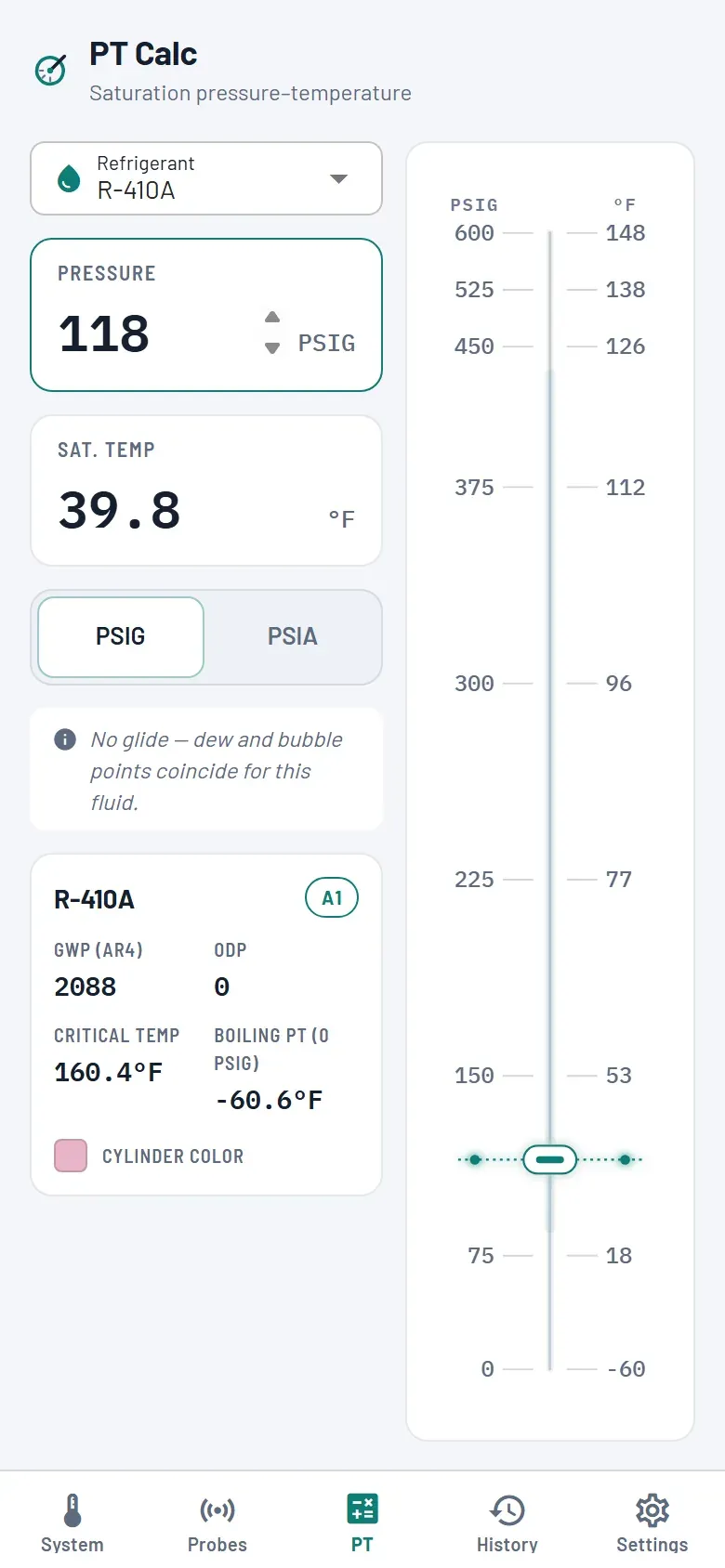
R-410A at 118 PSIG.
R-744, with the hazard band and the critical point.
Free and paid
What an account is for
What the plan adds
The diagnostic path — measuring, grading, the ranked findings, the pressure–temperature calculator, the
reading history on that phone — is free and needs no account. These five are what the plan pays for:
Fieldpiece Job Link, Testo Smart Probes, Parker Sporlan SMART Pro, Yellow Jacket TITAN, NAVAC manifolds and Refco
REFMESH connect over Bluetooth in the installed app — manifolds, pressure, temperature clamps, humidity and
vacuum gauges.
A mixed-brand truck still produces one coherent read, and every pressure carries its own reference with it —
gauge or differential — so a duct reading and a low-side reading stay the different kinds of
number they are.
Take the readings on the free side first. The account is what turns a phone full of good reads into records the whole shop can work from — and into a document your customer can open.